Rowbuy walkthrough: seven stops, each with the pair that trips people there
How to use Rowbuy and this Rowbuy Spreadsheet together, from sign-up to the doorstep. Each stop names the step, shows the Rowbuy screen where we could reach it without logging in, and points to the pair that causes trouble at that moment.
Before the first stop: the Fill&buy and Forwarding side doors
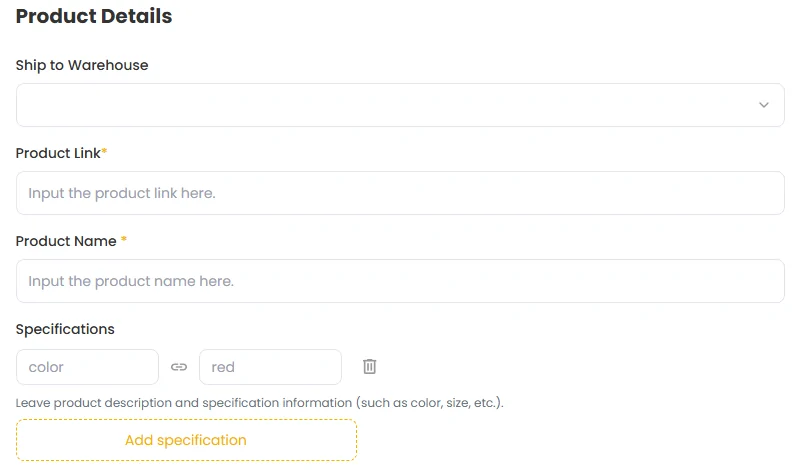
Most orders go through the main door: search or paste a link, open the product page, add to cart. Rowbuy also has two side doors in its top menu. Fill&buy is a form for listings the search cannot open: you type the link, the product name, the options and the price in yuan, and Rowbuy places the order. Forwarding is for things you bought yourself and had sent to Rowbuy's warehouse.
Fill&buy runs five steps, Forwarding four; the warehouse pairs set them side by side. If you are new, use the main door first. Rowbuy publishes no step-by-step video, so this walkthrough is built from screenshots we took of public pages on October 24, 2026. The clip above is our own illustrated version, not a Rowbuy video, and the signed-in stops below carry illustrations we drew from Rowbuy's help articles and published prices, each one labelled as an illustration.
Stop one: register, then find the coupon bundle
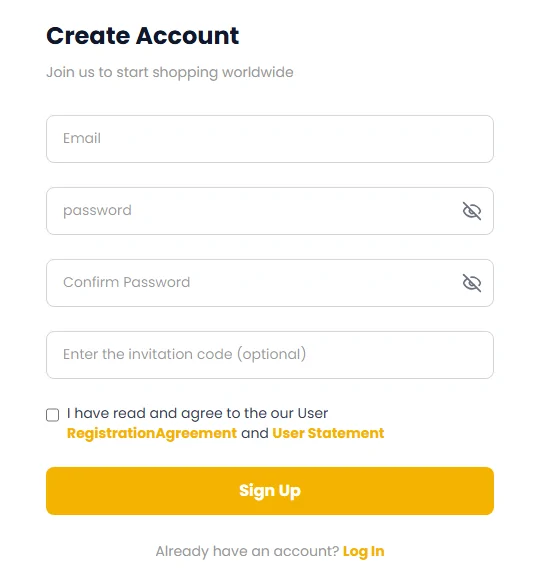
The sign-up form wants an email and a password, entered twice over; an invitation code box sits below them and may stay empty. A Chinese phone number is never requested. You can also sign in with a Google, Facebook, LINE or Discord account. Two links beside the tick box, for a registration agreement and a user statement, led nowhere when we clicked them on October 22, so there was no text to read before ticking the box.
Once in, Rowbuy says a new-user shipping coupon bundle is waiting on your coupons page. The pair to know here: that bundle is not the Lucky Wheel coupon, which needs an influencer code at sign-up. Both apply to freight, not to goods. Rowbuy's registration page is the place to start.
Stop two: a link pasted, or a photo searched
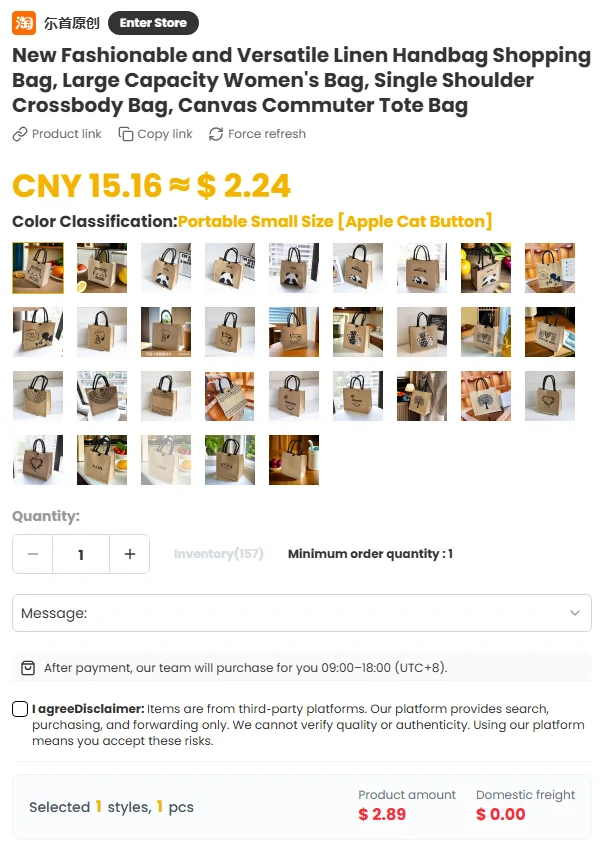
Rowbuy's ordering article gives two ways in. Drop a Taobao, 1688 or Weidian product link into the search bar, or upload a screenshot and let image search look for the original. Then choose colour, size and quantity and add to cart. Typing a product word works too; that is how we found every pick on the Spreadsheet shelves.
The pair at this stop is headline price and product amount. The big figure under the title is usually the cheapest option; the total beside the buttons follows whatever option is ticked. Also read the stock counter and the purchase hours line before paying.
Stop three: the goods payment
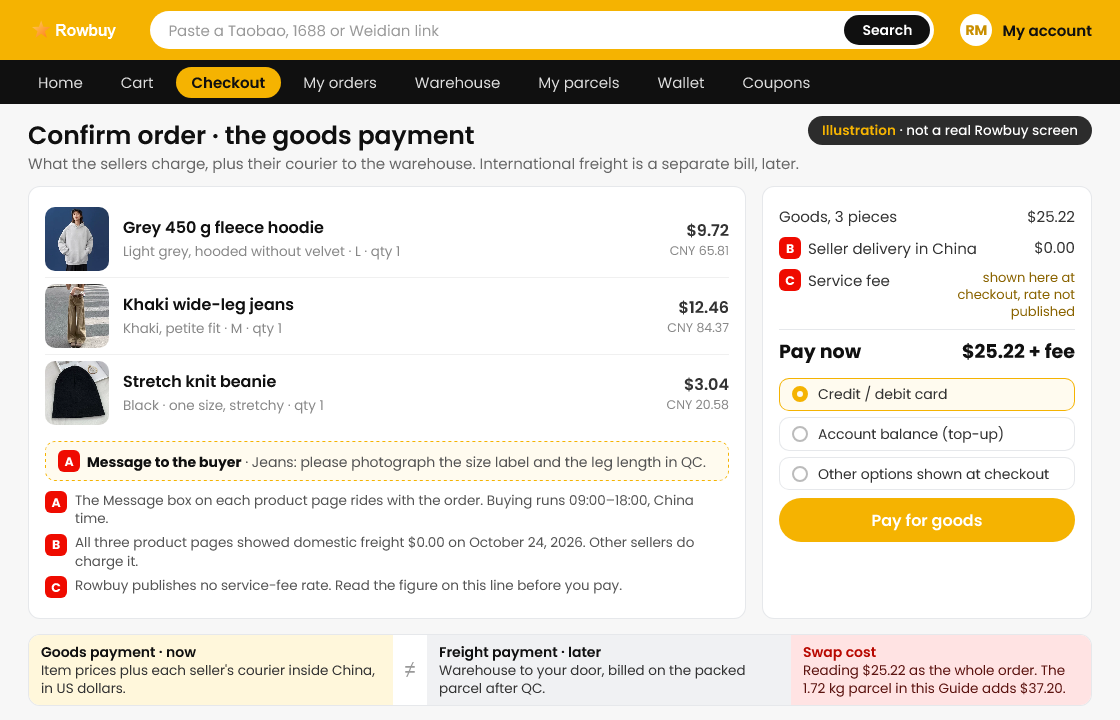
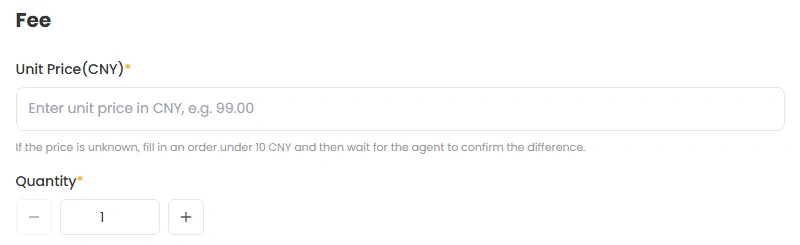
Submitting the order triggers the first of two payments: what the item costs plus what the seller charges to courier it to the warehouse, billed in US dollars by card or from a top-up balance. The checkout page needs login, so we show the Fill&buy fee block instead; it asks for the same two figures: a per-piece yuan price and a courier cost.
Pair at this stop: goods payment versus freight payment. Whatever you pay now, a second bill for the international line will follow once your items are weighed. If the service fee appears on this bill, note it; Rowbuy does not publish its rate.
Stop four: Stored, then QC photos
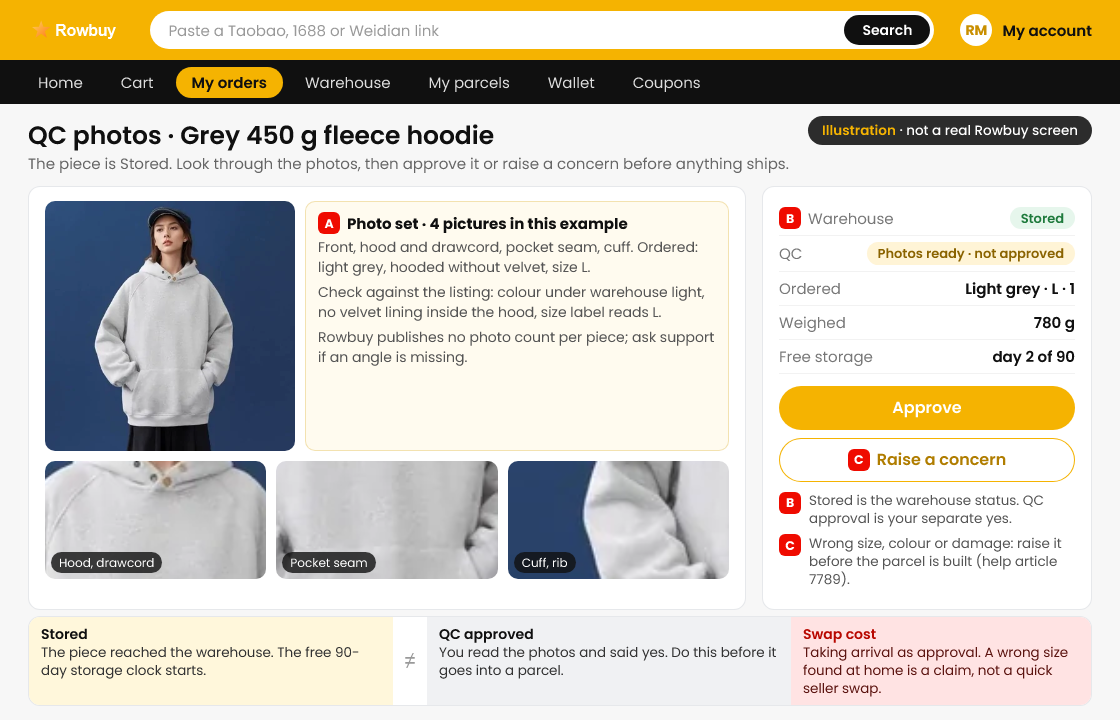
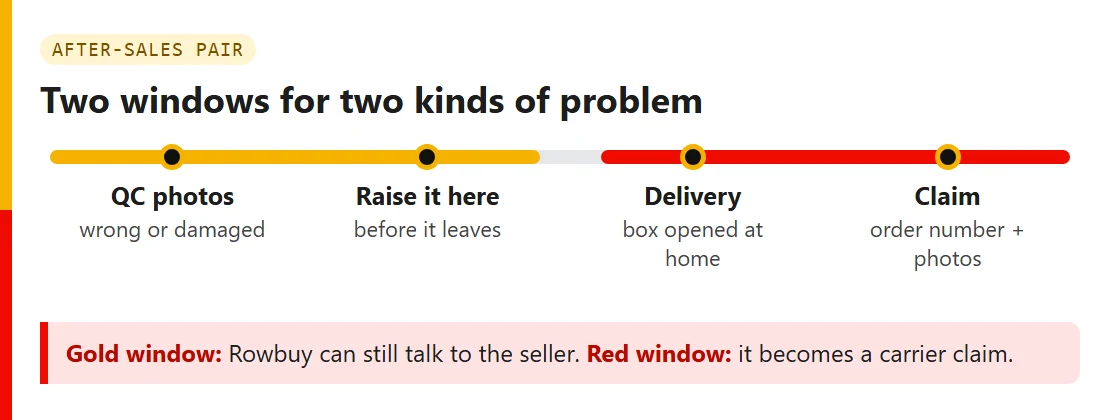
After payment Rowbuy buys from the seller during its working hours, and the seller ships to the warehouse. When the package lands, the orders page shows Stored. Free QC photos follow; a notice tells you they are up, and you look through them in your account.
Two pairs live here. Stored and QC approved: arrival is not approval. And GL and RL: approve when the photos match what you ordered, raise a concern when they do not, before the parcel leaves. The storage clock starts at Stored, with 90 free days.

Stop five: ticking Stored items for the outbound box
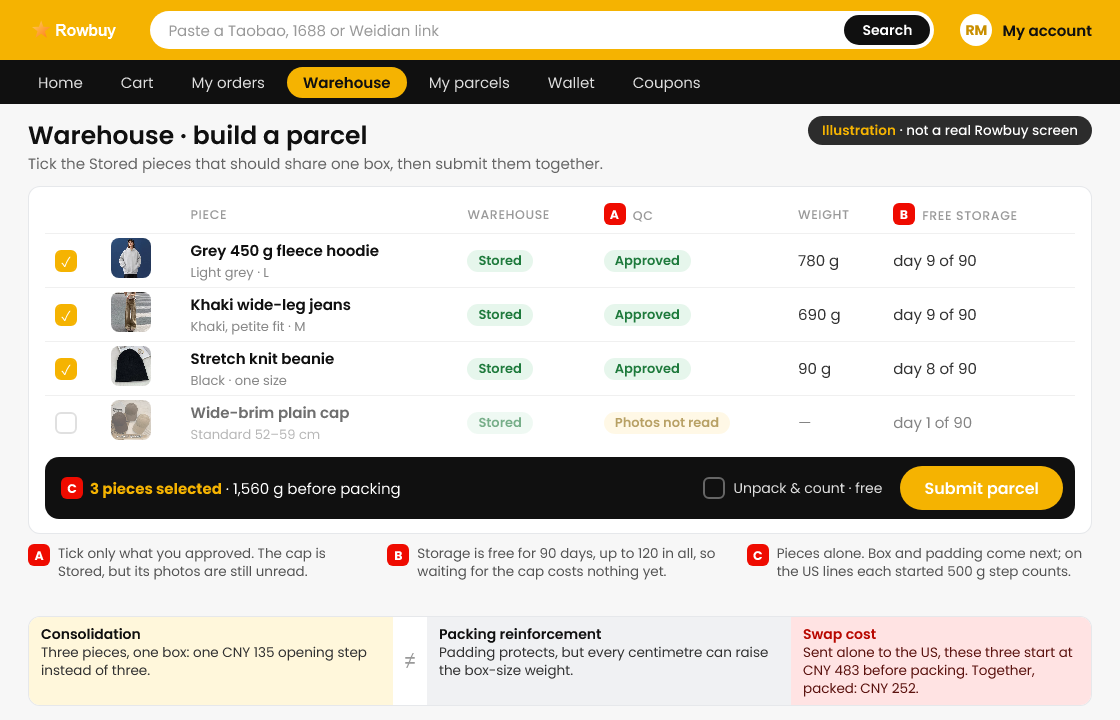
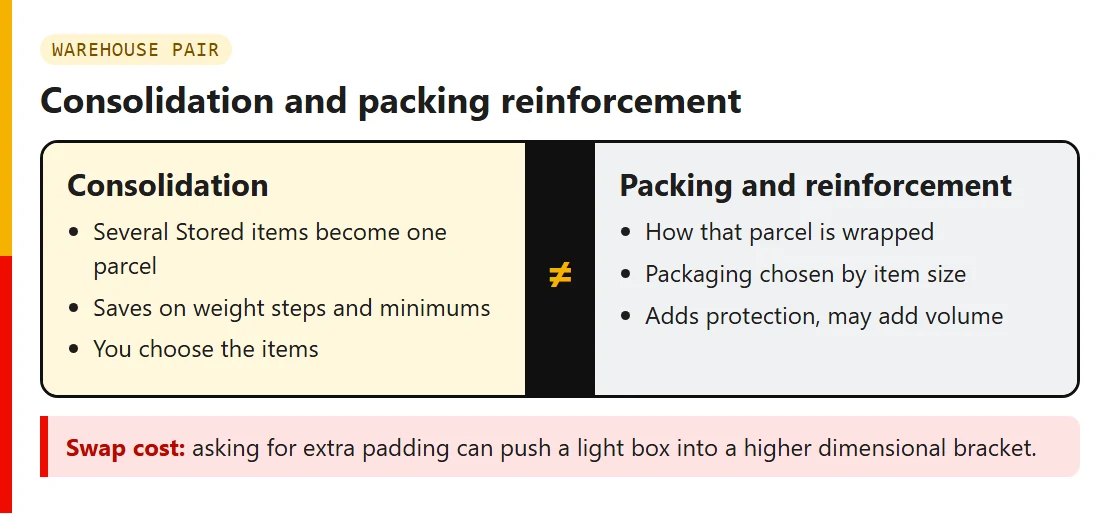
In the Warehouse section of your account you tick the Stored, approved items that should share a box and send them off as a single parcel. This is the moment consolidation pays: one box instead of three means one first-weight charge instead of three.
The pair at this stop is consolidation and packing reinforcement. Combining saves money; heavy padding can spend it again by adding volume. If anything in the parcel has a battery or liquid, check the restricted and prohibited pair now, because it decides which lines are offered.
Stop six: settling the freight bill
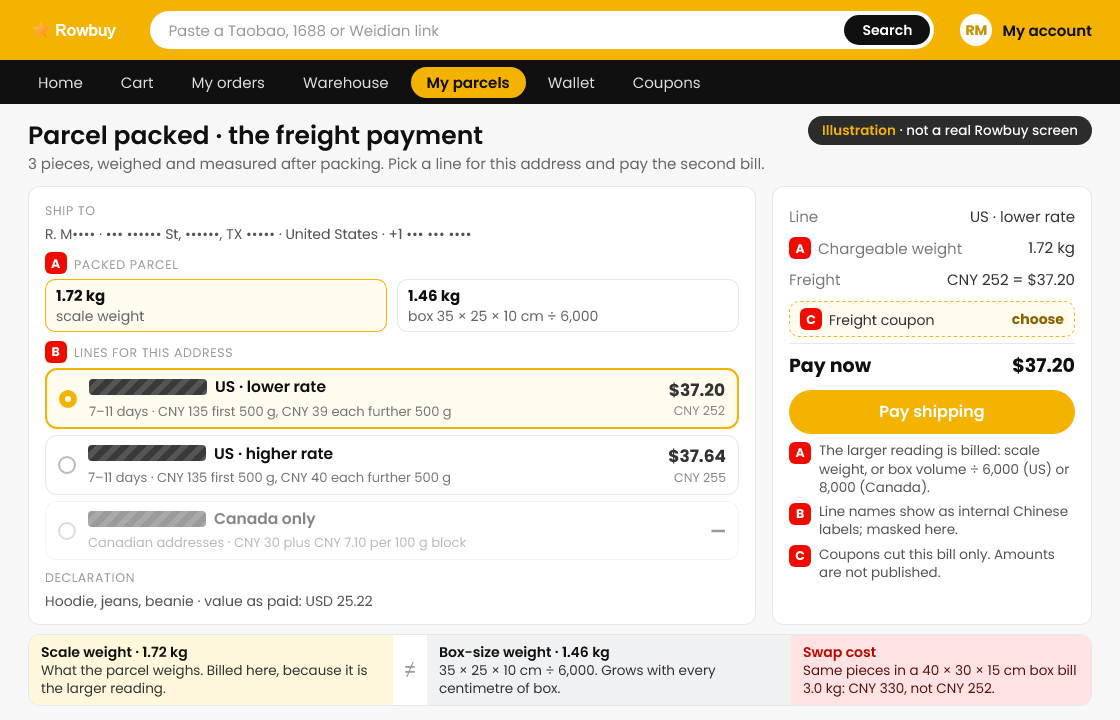
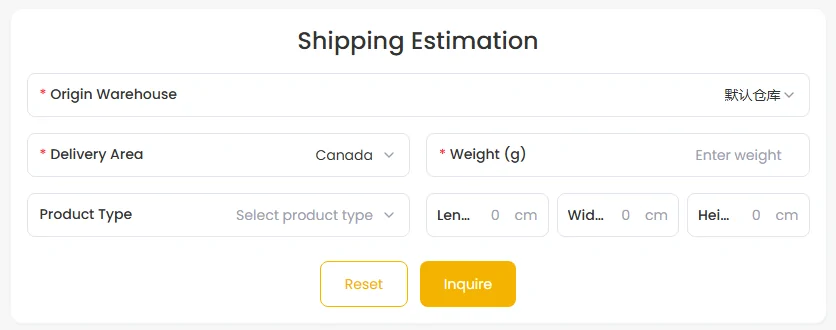
Rowbuy lists the lines available for your parcel and destination, with estimated delivery times, and you pay the second bill. In the line data behind the public estimator on October 22, the United States had two lines and Canada one, each quoted at 7 to 11 days; other countries we tried had none.
Three weight pairs meet here: scale reading versus dimensional weight, first weight unit and later units, and estimate and carrier-verified charge. Run the weight calculator first so the bill is not a surprise. Coupons apply here, to this payment.
Stop seven: the doorstep, and what happens if something is off
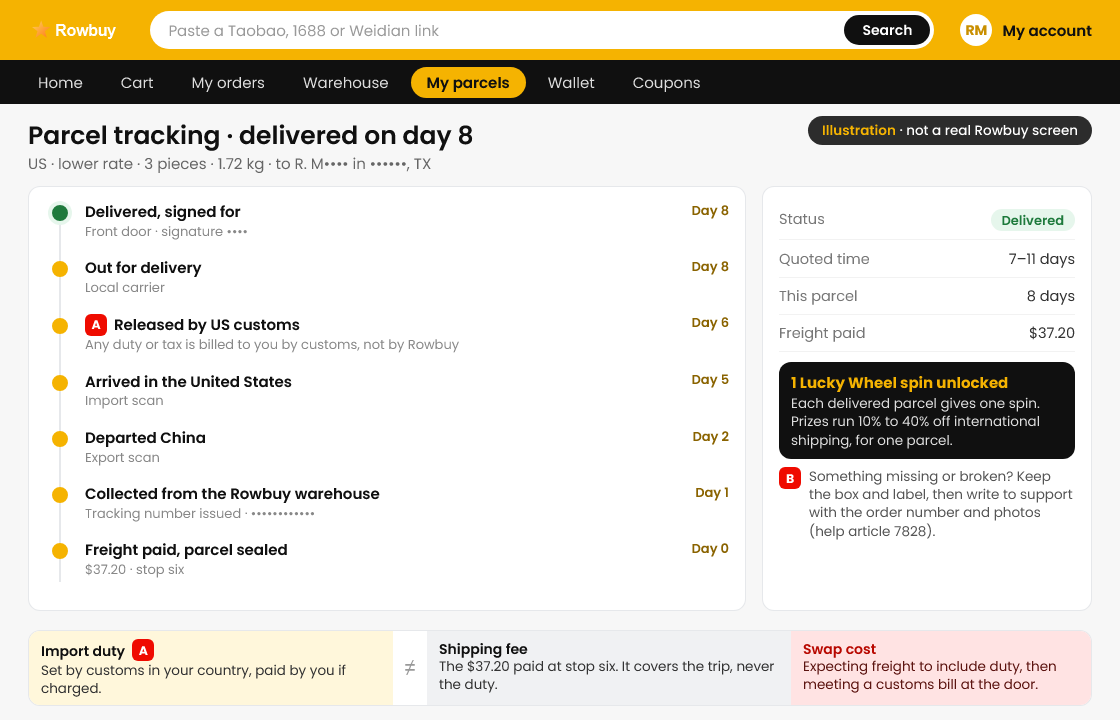
Rowbuy says you can track the parcel to your door. Customs in your country may ask for duty and tax on arrival; that charge is yours and is never part of the freight payment.
If the box arrives damaged or something is missing, the route has changed: it is now a claim through support, with your order number and photos, and the timeline depends on the carrier. Keep the outer box and label. The pairs for this stop are caught in QC versus discovered after delivery and import duty and shipping fee.